
Video Downloader for Pinterest
CMS Apps Studio
-
Updated
2025-11-07
-
Current Version
1.2.3
-
Offered By

Description
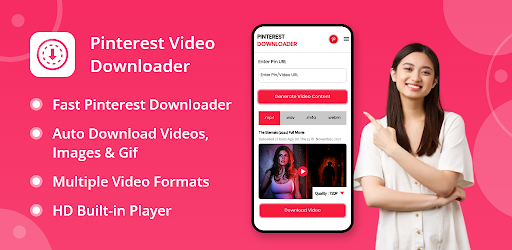
Tired of searching for the perfect video downloader for pinterest? Look no further! Our gif downloader is the ultimate solution for all your video-saving needs.
Now, here we are going to show you how to use this video downloader app for Pinterest in the step-by-step guide.
1️⃣ Start by downloading and installing the video downloader for pinterest without watermark.
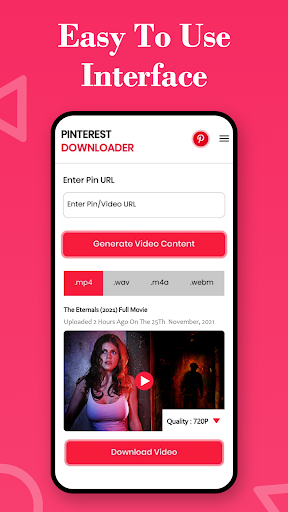
2️⃣ Open the pinterest downloader app once it's installed, and you'll be greeted with a user-friendly interface.
3️⃣ Now, what you have to do is navigate to Pinterest app and find the video you want to download. You can also open your Pinterest application by simply clicking on the button provided in the upper right corner in the app.
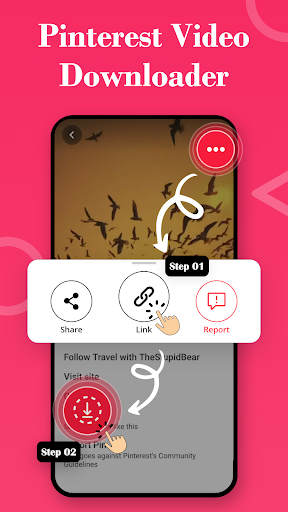
4️⃣ Tap on the video, copy its link, and return to the app.
5️⃣ Paste the video link into the pinterest video downloader app and click the "Download Video" button. Your video will start downloading instantly.
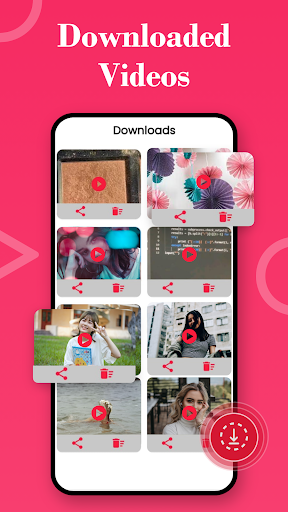
6️⃣ Once the download is complete, you can enjoy your Pinterest video offline, wherever and whenever you like.
How to Use Pinterest Video Downloader App:
Now, here we are going to show you how to use this video downloader app for Pinterest in the step-by-step guide.
1️⃣ Start by downloading and installing the video downloader for pinterest without watermark.
2️⃣ Open the pinterest downloader app once it's installed, and you'll be greeted with a user-friendly interface.
3️⃣ Now, what you have to do is navigate to Pinterest app and find the video you want to download. You can also open your Pinterest application by simply clicking on the button provided in the upper right corner in the app.
4️⃣ Tap on the video, copy its link, and return to the app.
5️⃣ Paste the video link into the pinterest video downloader app and click the "Download Video" button. Your video will start downloading instantly.
6️⃣ Once the download is complete, you can enjoy your Pinterest video offline, wherever and whenever you like.
Features of Pin Downloader:
Show more
OTHERS:VIDEO_PLAYERS
What\'s New in Version 1.3.5
Last updated on Nov 07,2025
Minor bug fixes and improvements. Install or update to the newest version to check it out!
Show less
Screen shots
Information
-
Updated2025-11-07
-
Current Version1.2.3
-
Offered By

-
Apk size0MB
-
Requires AndroidAndroid 4.4+
















