
UC Browser - Fast Download Private & Secure
UCWeb Singapore Pte. Ltd.
-
Updated
2026-10-19
-
Current Version
1792150763
-
Offered By

Description
UC Browser: The Smart Internet Browser for Your Mobile Life
Fast VPN | AI Search |Video downloader | UC Drive| AI Notes
Private Browser & Security Online
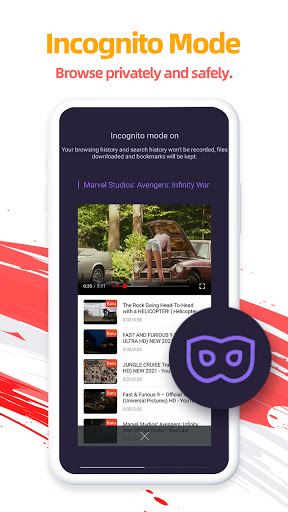
Protect your IP and traffic with our private browsing mode,also known as incognito browser mode. As a secure browser, UC Browser ensures your online activity remains private. Use the fast VPN browser to encrypt data and keep you safe while accessing the global internet with enhanced security
Video Downloader & Offline Streaming
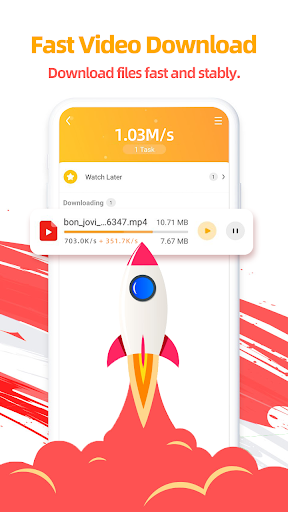
Save videos using the integrated video downloader. Enjoy the video player and stream your favorite content offline. This feature saves time and data, and helps you organize your downloads efficiently, perfect for your mobile life on the go.
Ad Blocker for Fast Performance
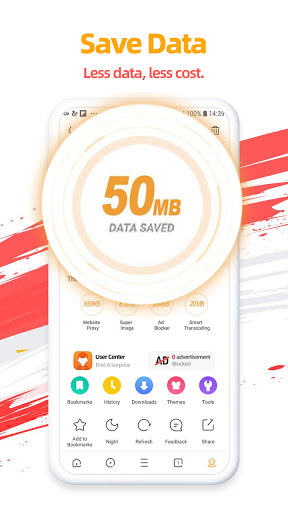
Activate the adblocker to remove web ads and pop-ups, ensuring no ads interrupt your browsing. By blocking distractions, you enjoy seamless, safe navigation and reduced load time while browsing sites and apps within the web browser.
UC AI Notes
UC AI Notes automatically records, transcribes, and summarizes your meetings with AI-generated visual recaps. Get structured summaries at a glance, with 98.88% transcription accuracy. Your data stays private with end-to-end encryption.
Smart Search with AI & GPT
Our advanced search engine helps you find news and even your browsing history. Whether you need to translate documents, locate specific content, GPT makes your internet exploration efficient.
Translate & Global Access
Break language barriers with built-in translate tools supporting multi-language AI and chat more effectively with others. Gain access to global content and more, converting text in real-time for a smooth browsing experience.
UC Drive: Cloud Storage for Videos & Files
Store your videos and files in 20GB cloud storage via UC Drive. Access your collection anywhere for an organized life.
Why Choose UC Browser?
Fast VPN browser: Secure your IP, keep you safe, and browse private.
Ad Blocker: Fast loading without interruptions.
Video Downloader: Save videos for offline streaming and manage your downloads with ease.
Free & Fast: Enjoy a fast and free internet browser, available on Play Store.
Regular Updates: Stay ahead with the latest improvements and new features.
Support & Assistance
In the event of any issues, please follow the steps below for immediate assistance:Open the Application and navigate to Menu → Feedback. Submit your inquiry via the integrated feedback system.
Alternatively, contact us directly through the official channels listed below.
● Official Website: https://ucweb.com
● Facebook: http://www.facebook.com/ucbrowserindonesia
● X: https://x.com/ucbrowserindo
● YouTube: http://www.youtube.com/ucwebvideo
Fast VPN | AI Search |Video downloader | UC Drive| AI Notes
Private Browser & Security Online
Protect your IP and traffic with our private browsing mode,also known as incognito browser mode. As a secure browser, UC Browser ensures your online activity remains private. Use the fast VPN browser to encrypt data and keep you safe while accessing the global internet with enhanced security
Video Downloader & Offline Streaming
Save videos using the integrated video downloader. Enjoy the video player and stream your favorite content offline. This feature saves time and data, and helps you organize your downloads efficiently, perfect for your mobile life on the go.
Ad Blocker for Fast Performance
Activate the adblocker to remove web ads and pop-ups, ensuring no ads interrupt your browsing. By blocking distractions, you enjoy seamless, safe navigation and reduced load time while browsing sites and apps within the web browser.
UC AI Notes
UC AI Notes automatically records, transcribes, and summarizes your meetings with AI-generated visual recaps. Get structured summaries at a glance, with 98.88% transcription accuracy. Your data stays private with end-to-end encryption.
Smart Search with AI & GPT
Our advanced search engine helps you find news and even your browsing history. Whether you need to translate documents, locate specific content, GPT makes your internet exploration efficient.
Translate & Global Access
Break language barriers with built-in translate tools supporting multi-language AI and chat more effectively with others. Gain access to global content and more, converting text in real-time for a smooth browsing experience.
UC Drive: Cloud Storage for Videos & Files
Store your videos and files in 20GB cloud storage via UC Drive. Access your collection anywhere for an organized life.
Why Choose UC Browser?
Fast VPN browser: Secure your IP, keep you safe, and browse private.
Ad Blocker: Fast loading without interruptions.
Video Downloader: Save videos for offline streaming and manage your downloads with ease.
Free & Fast: Enjoy a fast and free internet browser, available on Play Store.
Regular Updates: Stay ahead with the latest improvements and new features.
Support & Assistance
In the event of any issues, please follow the steps below for immediate assistance:Open the Application and navigate to Menu → Feedback. Submit your inquiry via the integrated feedback system.
Alternatively, contact us directly through the official channels listed below.
● Official Website: https://ucweb.com
● Facebook: http://www.facebook.com/ucbrowserindonesia
● X: https://x.com/ucbrowserindo
● YouTube: http://www.youtube.com/ucwebvideo
Show more
OTHERS:COMMUNICATION
What\'s New in Version 1.3.5
Last updated on Oct 19,2026
Minor bug fixes and improvements. Install or update to the newest version to check it out!
Show less
Screen shots

Information
-
Updated2026-10-19
-
Current Version1792150763
-
Offered By

-
Apk size0MB
-
Requires AndroidAndroid 4.4+