ClipCode – Connect & Transfer
Oopsable
-
تازہ کاری
2026-06-18
-
موجودہ ورژن
1.0.0
-
پیشکش بذریعہ

تفصیل
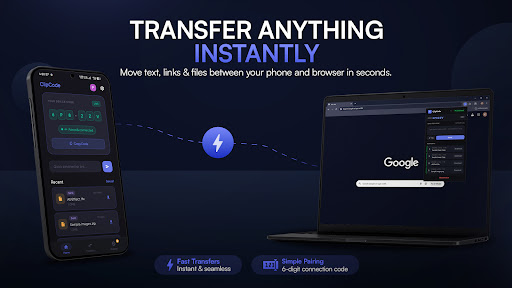
ClipCode is the fastest way to move anything from your phone to your
browser — no cables, no sign-in on your PC, no cloud hassle. Just
open the app, enter the 6-digit code in your browser, and start
transferring.
HOW IT WORKS
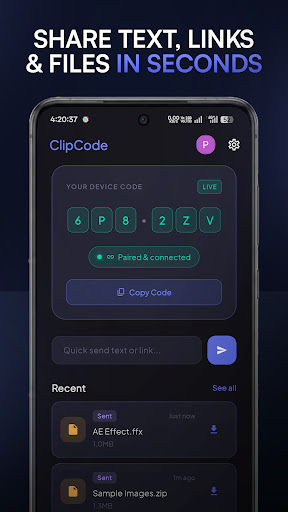
1. Open ClipCode on your phone — a 6-digit pairing code appears
instantly.
2. Visit clipcode.app in any browser and enter the code.
3. Send text, links, or files in both directions. Done.
No Bluetooth. No Wi-Fi pairing. No USB. Works on any browser,
anywhere.
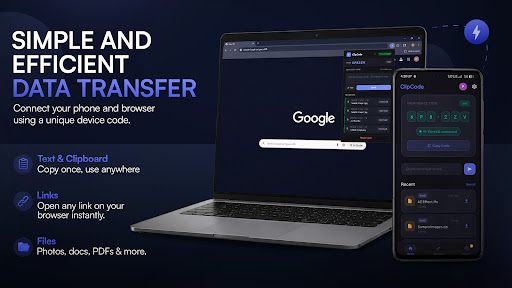
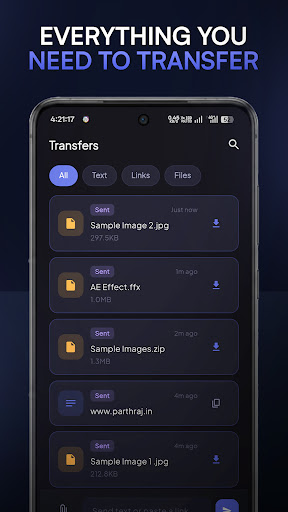
WHAT YOU CAN TRANSFER
• Text & clipboard content — copy on your phone, paste on your laptop
• Links — open URLs directly on desktop without typing them
• Files — send photos, documents, and more (up to 500 MB on Premium)
TRANSFER HISTORY
Every transfer is saved so you can go back and find it. Free users
get 24-hour history; Pro and Premium users get 7 or 30 days.
PLANS
Free — 10 MB files, 50 MB/day, 24-hour history
Pro — 100 MB files, 500 MB/day, 7-day history (₹199/mo or
₹1,990/yr)
Premium — 500 MB files, 1 GB/day, 30-day history (₹499/mo or
₹4,990/yr)
Pro and Premium plans include 2 months free on yearly billing.
BUILT FOR PEOPLE WHO SWITCH BETWEEN DEVICES
If you're a student copying notes, a developer testing links, or
anyone who finds themselves retyping things from your phone onto your
laptop — ClipCode is for you.
Secure. Fast. No setup.
browser — no cables, no sign-in on your PC, no cloud hassle. Just
open the app, enter the 6-digit code in your browser, and start
transferring.
HOW IT WORKS
1. Open ClipCode on your phone — a 6-digit pairing code appears
instantly.
2. Visit clipcode.app in any browser and enter the code.
3. Send text, links, or files in both directions. Done.
No Bluetooth. No Wi-Fi pairing. No USB. Works on any browser,
anywhere.
WHAT YOU CAN TRANSFER
• Text & clipboard content — copy on your phone, paste on your laptop
• Links — open URLs directly on desktop without typing them
• Files — send photos, documents, and more (up to 500 MB on Premium)
TRANSFER HISTORY
Every transfer is saved so you can go back and find it. Free users
get 24-hour history; Pro and Premium users get 7 or 30 days.
PLANS
Free — 10 MB files, 50 MB/day, 24-hour history
Pro — 100 MB files, 500 MB/day, 7-day history (₹199/mo or
₹1,990/yr)
Premium — 500 MB files, 1 GB/day, 30-day history (₹499/mo or
₹4,990/yr)
Pro and Premium plans include 2 months free on yearly billing.
BUILT FOR PEOPLE WHO SWITCH BETWEEN DEVICES
If you're a student copying notes, a developer testing links, or
anyone who finds themselves retyping things from your phone onto your
laptop — ClipCode is for you.
Secure. Fast. No setup.
مزید دکھائیں
OTHERS:TOOLS
ورژن 1.3.5 میں کیا نیا ہے؟
آخری بار اپ ڈیٹ کیا گیا: Jun 18,2026
چھوٹی بگ فکسز اور بہتریاں۔ نیا ورژن انسٹال یا اپ ڈیٹ کریں تاکہ اس کا جائزہ لے سکیں!
کم دکھائیں
اسکرین شاٹس
معلومات
-
تازہ کاری2026-06-18
-
موجودہ ورژن1.0.0
-
پیشکش بذریعہ

-
Apk سائز0MB
-
اینڈرائیڈ کی ضرورت ہےAndroid 4.4+