Assistive Touch Button
DreamForge Dev
-
تازہ کاری
2026-03-08
-
موجودہ ورژن
-
پیشکش بذریعہ

تفصیل
Assistive Touch Button - Your Ultimate Floating Assistant for Android
Transform how you use your phone with a powerful floating touch button that brings 50+ actions to your fingertips. No more stretching to reach the top of your screen!
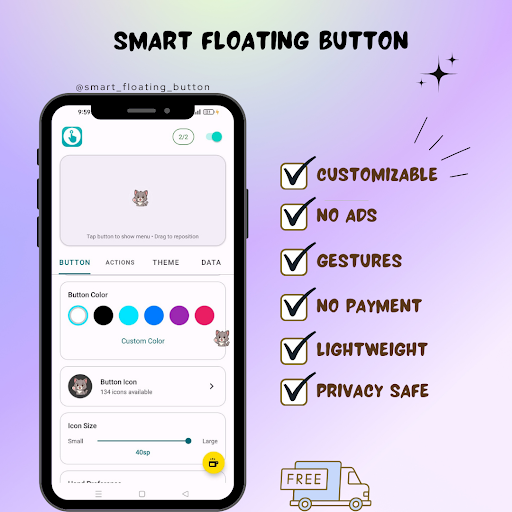
FLOATING ASSISTIVE TOUCH BUTTON
• Always-on-top floating button works in any app
• Fully customizable size, color, opacity & position
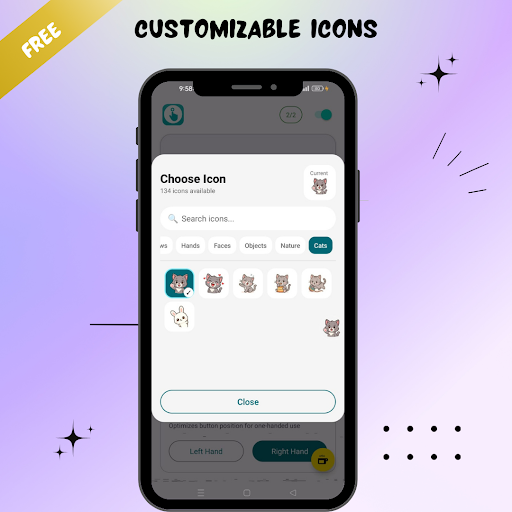
• 192+ icon options to personalize your button
• Lock position to prevent accidental moves
• Left-hand & right-hand mode support
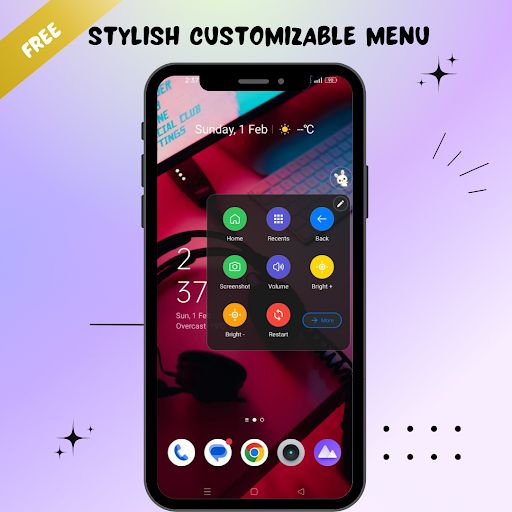
50+ POWERFUL QUICK ACTIONS
• Volume controls (up, down, slider)
• Flashlight toggle - instant torch access
• Screenshot - capture screen instantly
• Screen recorder - record your screen
• Lock screen with one tap
• Power menu access
• Brightness control
• Auto-rotate toggle
NAVIGATION BUTTONS
• Home button - go home instantly
• Back button - easy back navigation
• Recent apps - switch apps quickly
• Split screen mode
• Notification panel access
• Quick settings panel
CONNECTIVITY TOGGLES
• WiFi on/off toggle
• Bluetooth toggle
• Airplane mode
• Mobile data toggle
• Location services
• NFC toggle
6 GESTURE CONTROLS
Assign any action to gestures:
• Single tap - open menu
• Double tap - flashlight, screenshot or any action
• Long press - customize your action
• Swipe up/down - volume control
• Swipe left/right - your choice
7 BEAUTIFUL MENU LAYOUTS
• Grid 2x3 - classic layout
• Grid 3x3 - more actions visible
• Circular - radial menu design
• Ring - elegant ring layout
• Arc - one-hand friendly arc menu
• List - vertical scrolling menu
• Panel - dashboard style
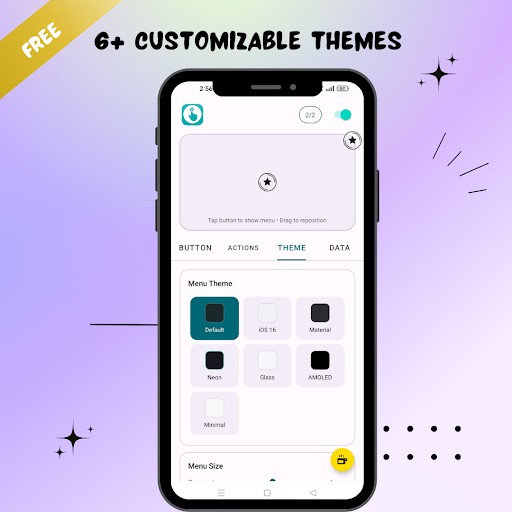
7 STUNNING THEMES
• iOS Dark - elegant dark mode
• iOS 16 Light - clean Apple-style
• Material You - Google's modern design
• Neon Glow - cyberpunk style with glow effects
• Glass - frosted glass morphism
• AMOLED Dark - pure black for battery saving
• Minimal - clean & simple
CUSTOM GROUPS
Organize your actions into custom categories:
• Create unlimited groups
• Custom icons & colors for each group
• Pre-built groups: Navigation, System, Tools, Connectivity, Media
APP SHORTCUTS
• Add any app to your floating menu
• Quick launch your favorite apps
• Unlimited app shortcuts supported
ACCESSIBILITY FEATURES
• Perfect for one-handed use
• Helps users with mobility limitations
• Large button option for easy tapping
• Works as virtual navigation buttons
• Ideal assistive touch replacement for Android
26 LANGUAGES SUPPORTED
English, Hindi, Spanish, Portuguese, Arabic, Chinese, Japanese, Korean, German, French, Italian, Russian, Turkish, Thai, Vietnamese, Indonesian, Filipino, Bengali, Tamil, Urdu, Malay, Polish, Romanian & more!
BACKUP & RESTORE
• Export all your settings
• Restore on new device
• Never lose your customization
WHY CHOOSE THIS ASSISTIVE TOUCH APP?
No ads interrupting your experience
Lightweight & battery efficient
Works on Android 6.0 and above
Regular updates with new features
Privacy focused - all data stored locally
Perfect as an assistive touch alternative, a floating action button overlay, a button mapper for custom gestures, or a one-handed navigation tool. Whether you need quick access to volume controls, flashlight, screenshot, or app shortcuts — this floating button has you covered.
Download now and take full control of your Android device with the most customizable assistive touch and floating button app available.
Transform how you use your phone with a powerful floating touch button that brings 50+ actions to your fingertips. No more stretching to reach the top of your screen!
FLOATING ASSISTIVE TOUCH BUTTON
• Always-on-top floating button works in any app
• Fully customizable size, color, opacity & position
• 192+ icon options to personalize your button
• Lock position to prevent accidental moves
• Left-hand & right-hand mode support
50+ POWERFUL QUICK ACTIONS
• Volume controls (up, down, slider)
• Flashlight toggle - instant torch access
• Screenshot - capture screen instantly
• Screen recorder - record your screen
• Lock screen with one tap
• Power menu access
• Brightness control
• Auto-rotate toggle
NAVIGATION BUTTONS
• Home button - go home instantly
• Back button - easy back navigation
• Recent apps - switch apps quickly
• Split screen mode
• Notification panel access
• Quick settings panel
CONNECTIVITY TOGGLES
• WiFi on/off toggle
• Bluetooth toggle
• Airplane mode
• Mobile data toggle
• Location services
• NFC toggle
6 GESTURE CONTROLS
Assign any action to gestures:
• Single tap - open menu
• Double tap - flashlight, screenshot or any action
• Long press - customize your action
• Swipe up/down - volume control
• Swipe left/right - your choice
7 BEAUTIFUL MENU LAYOUTS
• Grid 2x3 - classic layout
• Grid 3x3 - more actions visible
• Circular - radial menu design
• Ring - elegant ring layout
• Arc - one-hand friendly arc menu
• List - vertical scrolling menu
• Panel - dashboard style
7 STUNNING THEMES
• iOS Dark - elegant dark mode
• iOS 16 Light - clean Apple-style
• Material You - Google's modern design
• Neon Glow - cyberpunk style with glow effects
• Glass - frosted glass morphism
• AMOLED Dark - pure black for battery saving
• Minimal - clean & simple
CUSTOM GROUPS
Organize your actions into custom categories:
• Create unlimited groups
• Custom icons & colors for each group
• Pre-built groups: Navigation, System, Tools, Connectivity, Media
APP SHORTCUTS
• Add any app to your floating menu
• Quick launch your favorite apps
• Unlimited app shortcuts supported
ACCESSIBILITY FEATURES
• Perfect for one-handed use
• Helps users with mobility limitations
• Large button option for easy tapping
• Works as virtual navigation buttons
• Ideal assistive touch replacement for Android
26 LANGUAGES SUPPORTED
English, Hindi, Spanish, Portuguese, Arabic, Chinese, Japanese, Korean, German, French, Italian, Russian, Turkish, Thai, Vietnamese, Indonesian, Filipino, Bengali, Tamil, Urdu, Malay, Polish, Romanian & more!
BACKUP & RESTORE
• Export all your settings
• Restore on new device
• Never lose your customization
WHY CHOOSE THIS ASSISTIVE TOUCH APP?
No ads interrupting your experience
Lightweight & battery efficient
Works on Android 6.0 and above
Regular updates with new features
Privacy focused - all data stored locally
Perfect as an assistive touch alternative, a floating action button overlay, a button mapper for custom gestures, or a one-handed navigation tool. Whether you need quick access to volume controls, flashlight, screenshot, or app shortcuts — this floating button has you covered.
Download now and take full control of your Android device with the most customizable assistive touch and floating button app available.
مزید دکھائیں
OTHERS:TOOLS
ورژن 1.3.5 میں کیا نیا ہے؟
آخری بار اپ ڈیٹ کیا گیا: Mar 08,2026
چھوٹی بگ فکسز اور بہتریاں۔ نیا ورژن انسٹال یا اپ ڈیٹ کریں تاکہ اس کا جائزہ لے سکیں!
کم دکھائیں
اسکرین شاٹس
معلومات
-
تازہ کاری2026-03-08
-
موجودہ ورژن
-
پیشکش بذریعہ

-
Apk سائز0MB
-
اینڈرائیڈ کی ضرورت ہےAndroid 4.4+