Picture Password - Lock Screen
SunMoon JSC
-
Bijgewerkt
2025-01-13
-
Huidige Versie
5.7.0
-
Aangeboden door

Omschrijving
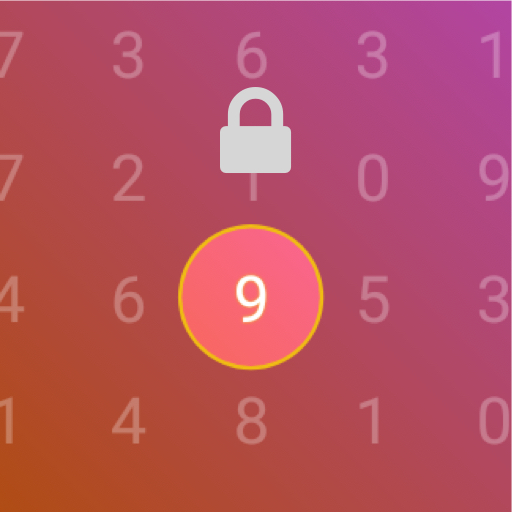
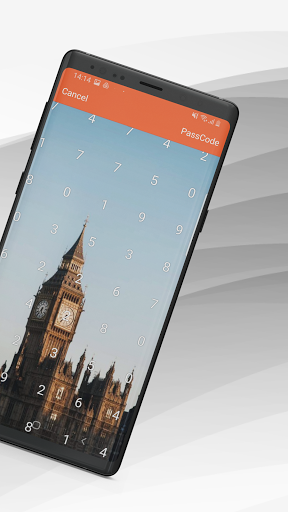
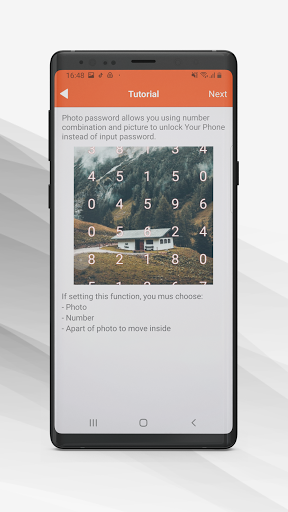
This is an application that allows to lock screen of your phone a completely new way. Only with a unique key codes in the range of 0 to 9 and a point you select in the image on the screen. With the lock screen unique, diverse, beautiful fonts, many different customized to respond all your wishes, will help give you a secure phone, personality and distinct.
How to set picture password:
1. Set picture password level II (this password need when you update password and when you forget password unlock you will need it)
2. Select photo from list available.
3. Choose any number from 0 to 9 from screen.
4. Set that number (which is enclosed by circle) on any part of the photo by fingers.
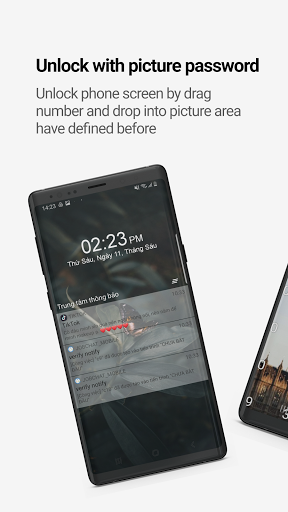
5. Drag number you choose into apart of photo you choose to confirm and this is also the key to unlock screen.
How to unlock the phone with picture password:
1. Drag number you choose into apart of photo you choose to confirm.
2. if password incorrect 10 times you need input password level2 to unlock.
The functionality in this version:
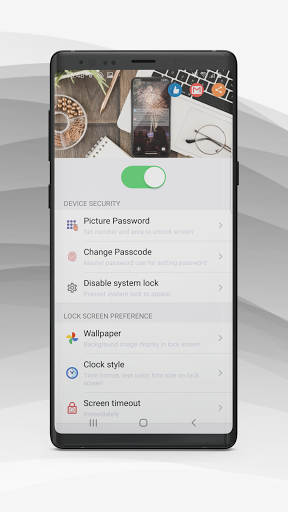
- Settings widget screen
- Install the passcode for picture password
- Customize the enable/disable lock passcode.
- Customize color, font, format display time waiting screen outside.
Wish you have a pleasant experience with picture password.
How to set picture password:
1. Set picture password level II (this password need when you update password and when you forget password unlock you will need it)
2. Select photo from list available.
3. Choose any number from 0 to 9 from screen.
4. Set that number (which is enclosed by circle) on any part of the photo by fingers.
5. Drag number you choose into apart of photo you choose to confirm and this is also the key to unlock screen.
How to unlock the phone with picture password:
1. Drag number you choose into apart of photo you choose to confirm.
2. if password incorrect 10 times you need input password level2 to unlock.
The functionality in this version:
- Settings widget screen
- Install the passcode for picture password
- Customize the enable/disable lock passcode.
- Customize color, font, format display time waiting screen outside.
Wish you have a pleasant experience with picture password.
Meer tonen
OTHERS:PERSONALIZATION
Wat is er nieuw in versie 1.3.5
Laatst bijgewerkt op Jan 13,2025
Kleine bugfixes en verbeteringen. Installeer of werk bij naar de nieuwste versie om het uit te proberen!
Minder tonen
Schermafbeeldingen
Informatie
-
Bijgewerkt2025-01-13
-
Huidige Versie5.7.0
-
Aangeboden door

-
Apk-grootte0MB
-
Vereist AndroidAndroid 4.4+