Let Me Downgrade
David Berdik
-
Dikemas kini
2026-06-03
-
Versi Semasa
1.0.7
-
Ditawarkan Oleh

Penerangan
Android's app installation system does not allow users to downgrade to an older version of an app when they already have a newer version installed. Let Me Downgrade is an Xposed module for Android 12 through 16 QPR2 that enables users to bypass this restriction. The app includes a Status screen with a switch to allow or block downgrades at any time. You can also add an optional App Downgrades Quick Settings tile that mirrors the same on/off state for quicker access.
WARNING: Let Me Downgrade is intended for rooted devices running Android 12 through 16 QPR2 and requires Xposed. The required Xposed variant to use is LSPosed. Other Xposed variants will not work. Additionally, this module cannot be guaranteed to work on all devices. In the worst case, it can cause a bootloop. Use at your own risk.
To use Let Me Downgrade:
1. Install the JingMatrix LSposed fork. This requires your device to be rooted with Magisk or KernelSU.
2. Install Let Me Downgrade.
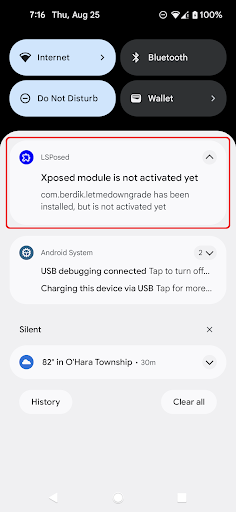
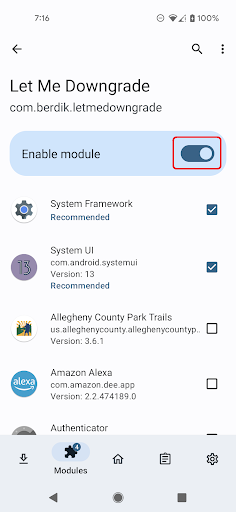
3. Activate the Let Me Downgrade module in the LSposed user interface.
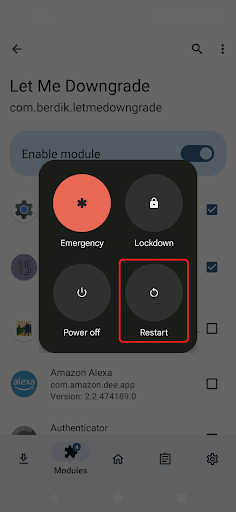
4. Reboot your device and sign in.
5. Open Let Me Downgrade from your launcher. When the module is active in LSPosed, the Status card shows whether app downgrades are allowed or blocked; use the switch to turn the hook on or off.
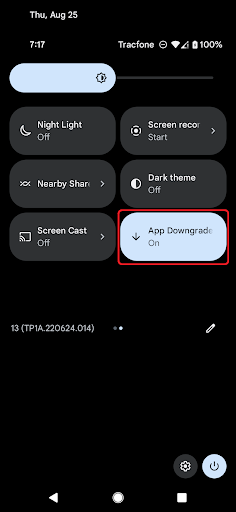
6. Optionally, add the App Downgrades Quick Settings tile from the tile editor. The tile mirrors the in-app switch.
WARNING: Let Me Downgrade is intended for rooted devices running Android 12 through 16 QPR2 and requires Xposed. The required Xposed variant to use is LSPosed. Other Xposed variants will not work. Additionally, this module cannot be guaranteed to work on all devices. In the worst case, it can cause a bootloop. Use at your own risk.
To use Let Me Downgrade:
1. Install the JingMatrix LSposed fork. This requires your device to be rooted with Magisk or KernelSU.
2. Install Let Me Downgrade.
3. Activate the Let Me Downgrade module in the LSposed user interface.
4. Reboot your device and sign in.
5. Open Let Me Downgrade from your launcher. When the module is active in LSPosed, the Status card shows whether app downgrades are allowed or blocked; use the switch to turn the hook on or off.
6. Optionally, add the App Downgrades Quick Settings tile from the tile editor. The tile mirrors the in-app switch.
Tunjukkan Lagi
OTHERS:TOOLS
Apa yang Baru dalam Versi 1.3.5
Kemaskini terakhir pada Jun 03,2026
Pembaikan pepijat kecil dan penambahbaikan. Pasang atau kemas kini ke versi terbaru untuk mencubanya!
Kurangkan
tangkapan skrin
Maklumat
-
Dikemas kini2026-06-03
-
Versi Semasa1.0.7
-
Ditawarkan Oleh

-
saiz pekej aplikasi0MB
-
Memerlukan AndroidAndroid 4.4+