Finger Blocker(Palm Rejection)
JPsys
-
Aggiornata
2026-10-21
-
Versione corrente
1.30
-
Offerta da

Description
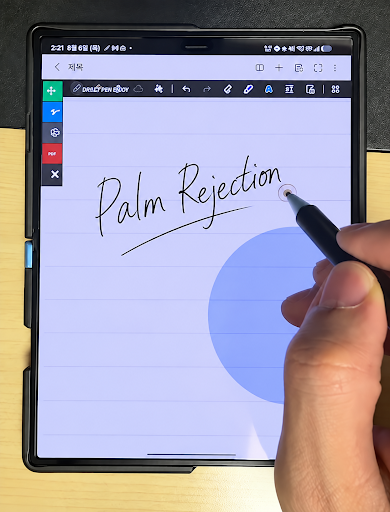
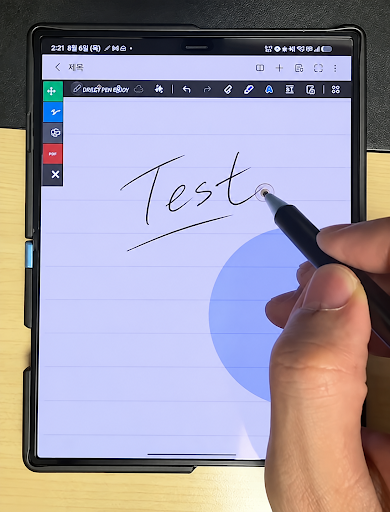
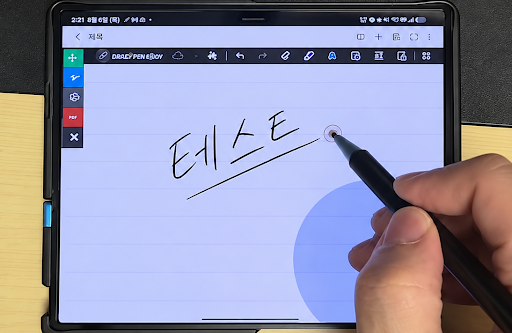
FingerRejector helps reduce unwanted finger touches while writing or drawing with a capacitive stylus. And using a capacitive disc stylus is recommended for optimal writing and drawing.
Due to Android limitations, full palm rejection is not supported. Please avoid resting too much of your palm on the screen.
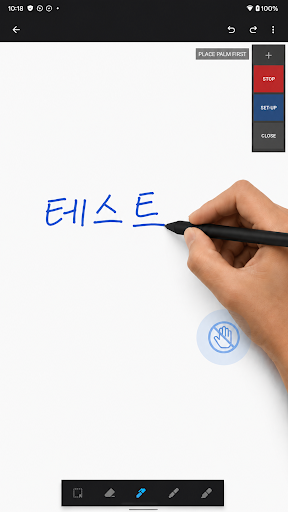
By blocking touch input within a user-defined area, the app makes it easier to use a capacitive stylus on devices that do not provide dedicated palm rejection.
Key features
Finger touch blocking
Reduce accidental input caused by fingers or the side of your hand touching the screen while writing.
Custom blocking area
Adjust the position and size of the touch-blocking area to match your writing posture and device.
Floating controls
Turn the blocking function on or off quickly while using another app.
Recommended uses
Writing notes with a capacitive stylus
Drawing in sketch or illustration apps
Reducing accidental marks caused by finger contact
Using a stylus on devices without built-in palm rejection
Permission notice
FingerRejector uses the Display over other apps permission to show its floating controls and touch-blocking area above other apps.
This permission is used only to provide the app’s core features. FingerRejector does not read, collect, store, or transmit the contents of other apps or any text you enter.
Important notice
FingerRejector does not replace hardware-based stylus or palm-rejection technology.
Because a capacitive stylus may be detected in the same way as a finger, performance can vary depending on the device, screen, stylus, writing posture, and app being used.
The app does not automatically detect and block the entire palm. It works by limiting touch input within the area selected by the user.
FingerRejector does not collect or transmit personal information.
Due to Android limitations, full palm rejection is not supported. Please avoid resting too much of your palm on the screen.
By blocking touch input within a user-defined area, the app makes it easier to use a capacitive stylus on devices that do not provide dedicated palm rejection.
Key features
Finger touch blocking
Reduce accidental input caused by fingers or the side of your hand touching the screen while writing.
Custom blocking area
Adjust the position and size of the touch-blocking area to match your writing posture and device.
Floating controls
Turn the blocking function on or off quickly while using another app.
Recommended uses
Writing notes with a capacitive stylus
Drawing in sketch or illustration apps
Reducing accidental marks caused by finger contact
Using a stylus on devices without built-in palm rejection
Permission notice
FingerRejector uses the Display over other apps permission to show its floating controls and touch-blocking area above other apps.
This permission is used only to provide the app’s core features. FingerRejector does not read, collect, store, or transmit the contents of other apps or any text you enter.
Important notice
FingerRejector does not replace hardware-based stylus or palm-rejection technology.
Because a capacitive stylus may be detected in the same way as a finger, performance can vary depending on the device, screen, stylus, writing posture, and app being used.
The app does not automatically detect and block the entire palm. It works by limiting touch input within the area selected by the user.
FingerRejector does not collect or transmit personal information.
Mostra altro
OTHERS:TOOLS
Novità nella versione 1.3.5
Ultimo aggiornamento il Oct 21,2026
Correzioni di bug minori e miglioramenti. Installa o aggiorna alla versione più recente per provarla!
Mostra meno
Screenshot
Information
-
Aggiornata2026-10-21
-
Versione corrente1.30
-
Offerta da

-
Apk size0MB
-
Richiede AndroidAndroid 4.4+